
GMC Terrain: Warning Lights, Gauges, and Indicators / Hill Descent Control Light and Lane Keep Assist (LKA) Light
GMC Terrain 2018-2026 Owners Manual / Instruments and Controls / Warning Lights, Gauges, and Indicators / Hill Descent Control Light and Lane Keep Assist (LKA) Light
Hill Descent Control Light
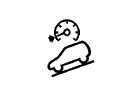
If equipped, the Hill Descent Control light comes on when the system is ready for use. When the light flashes, the system is active. See Hill Descent Control (HDC).
Lane Keep Assist (LKA) Light
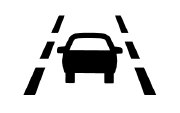
If equipped, this light is green if LKA is available to assist.
LKA may assist by gently turning the steering wheel if the vehicle approaches a detected lane marking without using the turn signal in that direction. The LKA light will turn amber.
This light is amber and flashes as a Lane Departure Warning (LDW) alert, to indicate that the lane marking has been crossed.
See Lane Keep Assist (LKA).

 Vehicle Ahead Indicator and Pedestrian Ahead Indicator
Vehicle Ahead Indicator
If equipped, this indicator will
display green when a vehicle is
detected ahead.
See Forward Collision Alert (FCA) System.
Pedestrian Ahead Indicator
If equipped, this indicator will
display amber when a nearby
pedestrian is detected directly in
front of the vehicle...
Other information:
GMC Terrain 2018-2026 Owners Manual: Raising the Seatback
Warning If either seatback is not locked, it could move forward in a sudden stop or crash. That could cause injury to the person sitting there. Always push and pull on the seatbacks to be sure they are locked. Warning A seat belt that is improperly routed, not properly attached, or twisted will not provide the protection needed in a crash...
GMC Terrain 2018-2026 Owners Manual: Air Vents
Use the louvers located on the air vents to change the direction of the airflow. To open or close off the airflow: On the center air vents, move the slider knobs up or down. On the outer and rear air vents, move the slider knobs right or left...

Copyright © 2026 www.gmcterrain2.com